RUE Money Planner
Everything RUE can do
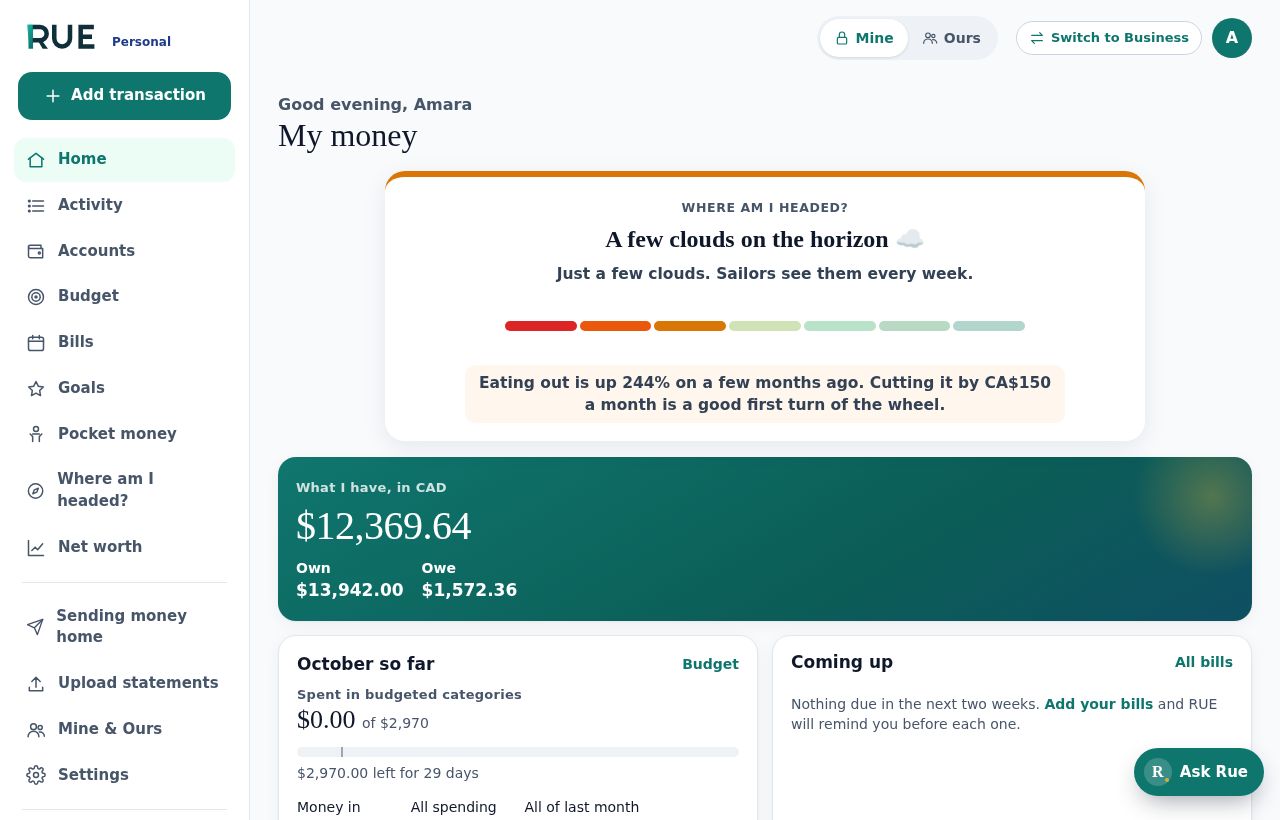
RUE comes in two versions: RUE Personal for your own and your family’s money, and RUE Business for a company’s books. Both work in any currency, anywhere in the world, and both are free to start.
Below is what RUE does today, and what we’re building next.
RUE Personal · Today
Your money. Your goals. Your future.
Every account, every currency
Add banks, cards, cash and savings in any currency, such as CAD, USD, GBP, NGN and EUR. RUE shows your totals in one home currency, using each day’s exchange rate.
Budgets, bills, goals and to-dos
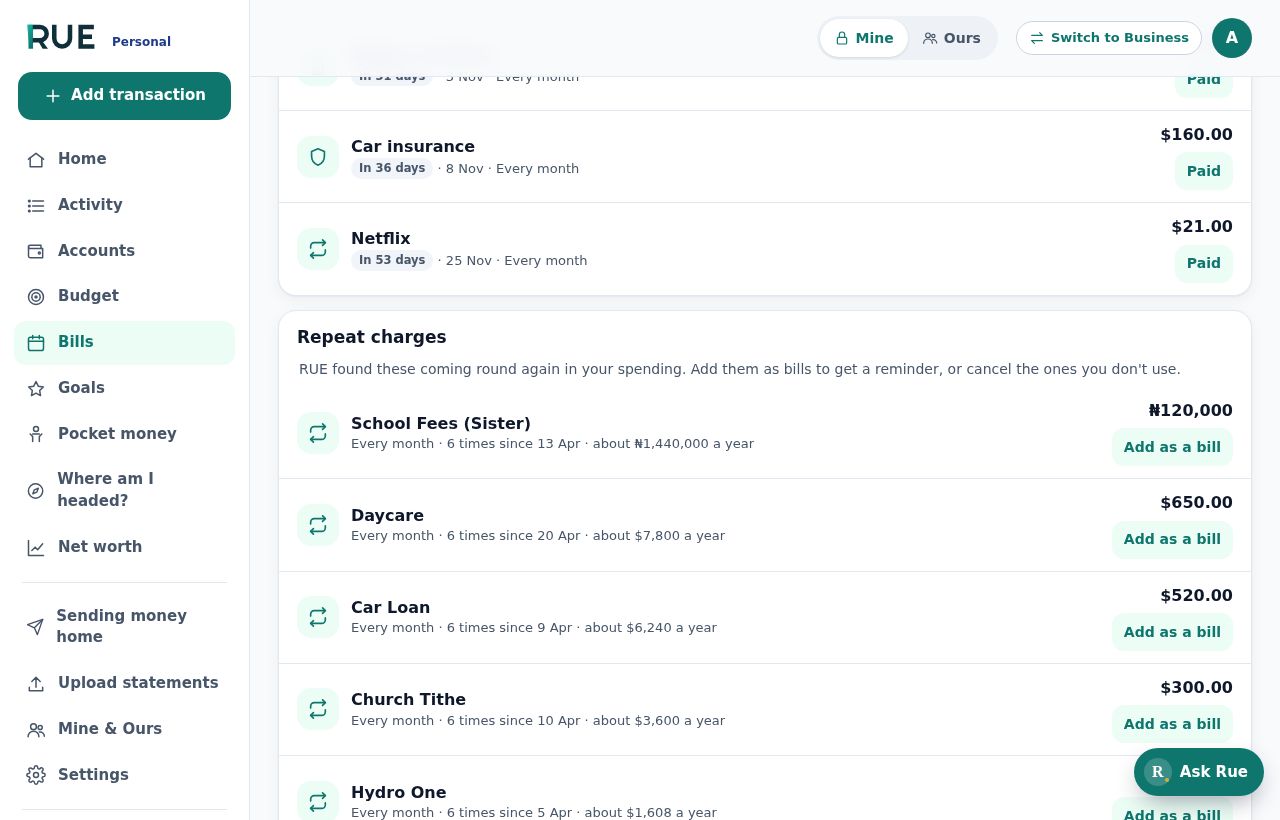
Set a monthly budget for each category, get an email before bills are due, and turn any plan into a savings goal or a simple to-do list you can tick off. RUE also finds repeat charges, like subscriptions, and tells you when one goes up in price.
Private Mine, shared Ours
Mine is only for you. Ours is shared with your partner or family: joint accounts, household bills and family goals. Teens and children get a simple family view and pocket money.
Money sent home
Record what you send to family abroad. See who you support, what they received, and the real cost of each transfer: the fee plus the exchange-rate margin. RUE never moves money; it keeps the record.
Where am I headed?
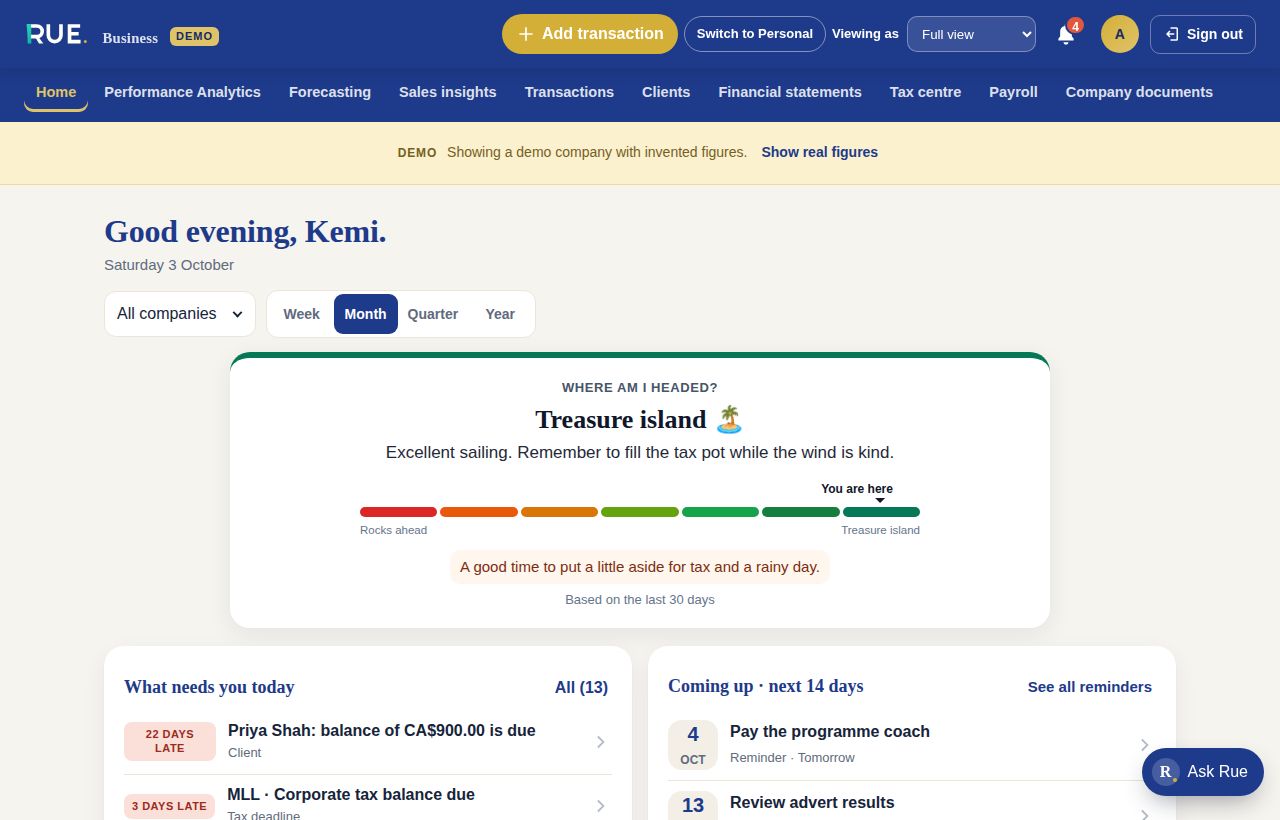
One card shows where your money is heading, from “Rocks ahead” to “Treasure island”, with a forecast up to 10 years that takes busy and quiet seasons into account, plus one practical tip.
Ask Rue
Ask plain questions, like “Where is my money going?” or “Can I afford a $2,000 trip in June?”, and get answers from your own numbers.
Do this next
Open RUE and see the one or two things most worth doing today, picked from your own numbers.
Find anything, fast
Search your accounts, transactions, bills and goals from one search box.
RUE Business · Today
Your business. Your numbers. Your next move.
Income, expenses and cash flow
See money in, money out and cash in the bank for each company, in its own currency. Pick a week, month, quarter, year, or set your own dates.
Client payments
Keep track of what each client agreed, paid and still owes. “Who to chase today” lists the people to remind, with a friendly WhatsApp or email ready to send.
Tax deadlines and a tax pot
The Tax centre lists what each company must file and when, with an estimate of how much to keep aside, for companies in Canada, Nigeria, the United Kingdom and the United States.
Reports that know your seasons
Profit and loss, a balance sheet and an accountant pack, plus forecasts up to 10 years ahead that take your busy and quiet seasons into account, and “what if” plans.
Mileage
Log business trips. RUE turns the kilometres into a mileage allowance and keeps a record for your accountant.
Business and personal split
Mark a purchase as Business, Personal or Mixed. For mixed use, set the business share; RUE works out both parts, splits the sales tax the same way and keeps one payment in your cash flow. Your accountant reviews each one.
Do this next
Open RUE Business and see the one or two things most worth doing today, picked from your own numbers.
Find anything, fast
Search your companies, transactions, clients and reports from one search box.
Your name on every invoice
Emails to your clients, like invoices and reports, carry your business’s name, not RUE’s.
Built for firms with many clients
If you manage more than one company, see them all in one overview, compare one to the others you look after, and, in an early version, give each client a sign-in that shows only their own company.
RUE Business · For accountants and bookkeeping firms · Today
A deeper layer, just for accountants
Part of RUE Business. This extra layer is switched off by default and only shows up for an accountant’s own sign-in, so the business owners you work for keep the simple RUE they already know.
An optional extra layer, off by default
Turn on advanced accounting for any client company you look after. It stays off until you switch it on, and the business owner’s own sign-in never shows it.
Cash or accrual, your choice
Switch a client company between cash accounting (money is counted when it moves) and accrual accounting (money is counted when it’s earned or owed), with refunds handled properly either way, so revenue is tracked the way your firm needs.
Foreign exchange, tracked properly
See which currency gains and losses are realised, meaning locked in because the money has already moved, and which are unrealised, meaning still moving with today’s exchange rate.
Reconciliation, loans and depreciation your way
Mark bank lines as reconciled once you’ve checked them against the statement, record a client’s real loan terms with alerts that know which way the money flows, and set your own depreciation method for each asset instead of one fixed rule.
For restaurants, cafés, grocery and convenience stores · Today
Sales and stock planning
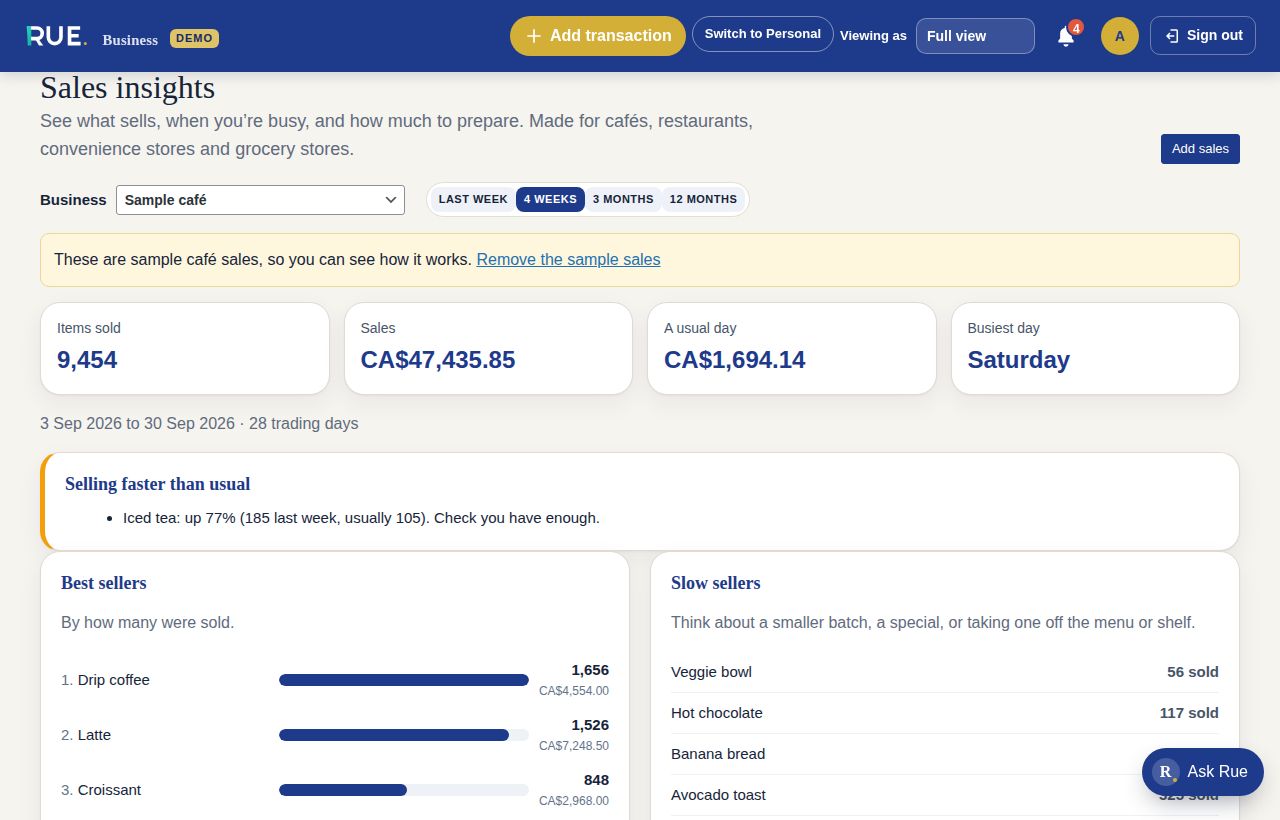
Part of RUE Business. Bring in your sales from a Square or Shopify POS link, or upload a till export, and RUE shows:
Best and slow sellers
What sells the most and the least, and items that have not sold for two weeks.
Busy times
Which days and hours are busiest and quietest, in a colour grid that is easy to read.
How much to prepare
For any weekday, how much of each item to prepare for the morning, lunch, afternoon and evening.
Next week’s stock
What to order for next week, and an alert when an item sells faster than usual.
What each dish costs
See what each dish or drink costs you to make, from the ingredients up, so you know your true margin.
Both versions · Today
Upload your bank statements
CSV and PDF
Upload the CSV or PDF statement your online banking gives you. RUE works out the columns, remembers them for next time and skips rows it already has.
Bank statements
Upload a CSV or a PDF with selectable text from your bank. RUE shows a preview before you save. Formats vary, and scanned statements may need a clearer copy.
Nothing counted twice
Upload the same statement again and nothing changes. Money moved between your own accounts is linked as a transfer, not spending.
What’s next
Coming soon
These aren’t ready yet, but we’re actively building them. We’ll update this page as each one ships.
A fuller home for firms with many clients Coming soon
A workspace built for accounting and bookkeeping firms: every client company in one place, with clearer, more complete client sign-ins.
Your own letterhead on invoices Coming soon
Send invoices and receipts that carry your business’s own name and look, wherever your clients open them.
Smarter forecasts, learned from you Coming soon
Once a business has enough history, RUE will learn its own patterns and sharpen its forecasts further.
Drag and drop your statements Coming soon
Drop a bank statement file straight onto the page, instead of browsing to find it.
More ways to time your reports Coming soon
Choose from more date ranges when you build a report.
Sign in with a fingerprint or face Coming soon
Skip the password: unlock RUE with your fingerprint or face, where your device supports it.
Join the RUE waitlist
Be first to know when RUE launches. It takes a minute.